Mandatory Assignment 2
Building an interface for the API
Don't import React components
For the second part of this assignment we will create a React application that will query the API and display the results for us in a table. We will then continue adding more features to the table to make it more interactive.
Starting point
Because working with an API is a bit more advanced we have supplied you with a starting point where the structure of the application is already defined. You can find the starting point here:
https://github.uio.no/alexanrf/in5320-assignment2
This is a modified create-react-app
where /src/app.js is modified and /src/table.js is added.
Running the starting point
If you haven't installed node and yarn follow this guide first.
To run this application either clone the repo from git or download it.
Then run the following commands and visit http://localhost:3000/ in your browser.
# Change directory to where the yarn.lock file is.cd in5320-assignment2/# Install the dependencies required by the application.yarn# Start the applicationyarn start
Explaining the starting point
The application works by keeping all API parameters in state. For example page = 1, or searchQuery = Norway.
The application uses the useEffect hook to monitor when the state of these parameteters change.
When they do the useEffect query re-runs and executes a new API call with the modified parameters.
When the API request is completed it updates the apiResponse state with the data returned by the API.
The reasoning behind using useEffect is that when fetch returns a response it will update the apiResponse state -
which forces a re-render of the React application.
Notice that we pass an array as the second argument to the useEffect hook where we specify which state changes we want to re-run the API query on.
By only re-running the API request when the searchQuery or pageNumber states change and not when the apiResponse changes we avoid creating an
infinite loop of API requests on each state change.
The assignment
The first parts of this task are mandatory and everyone needs to implement this functionality. If you want more experience with React you should try implementing the optional functionality.
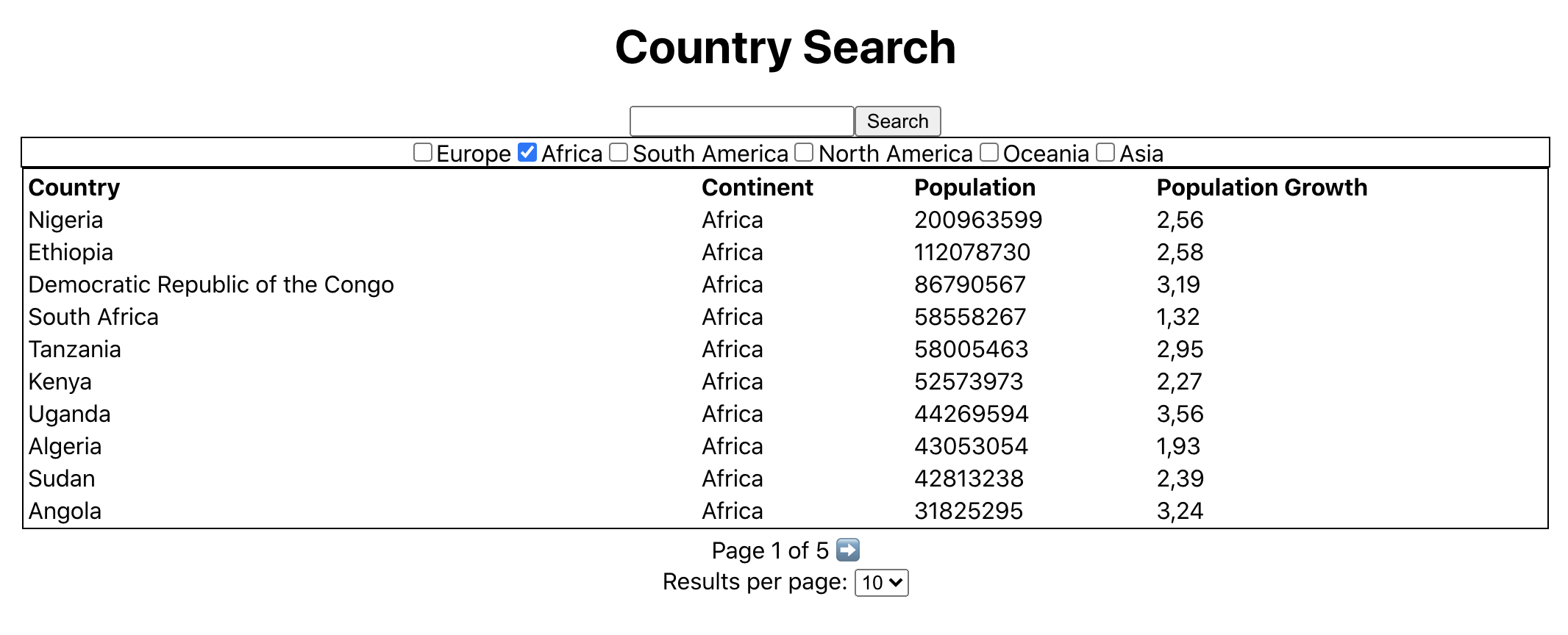
Here is a picture of our solution for inspiration. You can choose how much you style your components but if you only do the mandatory minimum it may be a good idea to style them a bit more than we have.
Submission
To submit this .zip the /src/ folder and submit it to Devilry with the previous queries. Do not submit any other folders from your react application.