CSS Flexbox
Axes and flex direction
Flexbox operates with two axes: one main axis and one cross axis that
runs perpendicular to the main axis. We can specify the main axis by
setting the flex-direction property to row, row-reverse,
column or column-reverse. The default value is row.
Setting flex-direction to row or row-reverse sets the main axis
along the row in the inline direction.
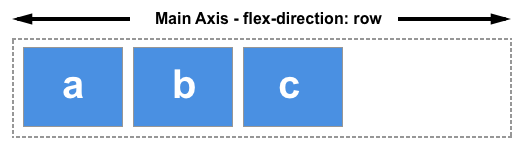
Setting flex-direction to column or column-reverse sets the main
axis from the top of the page to the bottom in the block direction.
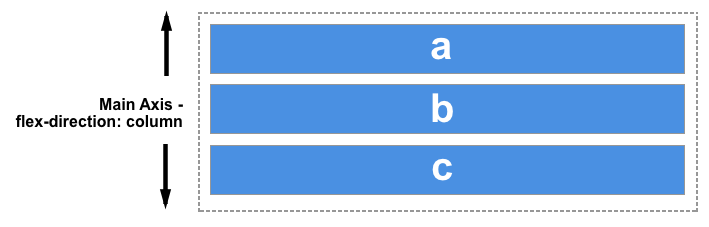
Start and end lines
Be aware that the starting and ending lines are affected by the
browsers writing mode. row is going to position elements starting
along the left side for left-to-right languages, but will position
elements starting along the right side for right-to-left languages.
Read more on MDN
flex-direction
Test yourself
Description
Change the flex-direction of your .wrapper <div> element to
row-reverse
Pay attention to what happens to the perceived order of the different-colored boxes after you've made the change.
Tests
- 1
Your
.wrapperelement should have the flex directionrow-reverse.