Building and publishing a DHIS2 app using the app platform
Modifying app component
Adding the program list component to our main page
As it is now, we have completed our ProgramList component, but have
not used it anywhere. Let us fix that!
This app is not going to have any routing implented, so we are going
to render our new component on the main page. The main page component
is defined in src/App.js.
Let us go ahead and import ProgramList into App.
import { ProgramList } from './ProgramList'
The App component has been left unchanged after we initalized our
app. Let us go ahead and remove the default query and header elements
inside the div. We are only going to add one extra line to render
the ProgramList component.
<ProgramList />
Final App
The code for the entire App component is shown below.
import React from 'react'import i18n from '@dhis2/d2-i18n'import { ProgramList } from './ProgramList'const MyApp = () => (<div className="container"><style jsx>{`.container {width: 640px;margin: 0 auto;height: 100%;display: flex;flex-direction: column;align-items: center;justify-content: center;font-size: 1rem;}}`}</style><ProgramList /></div>)export default MyApp
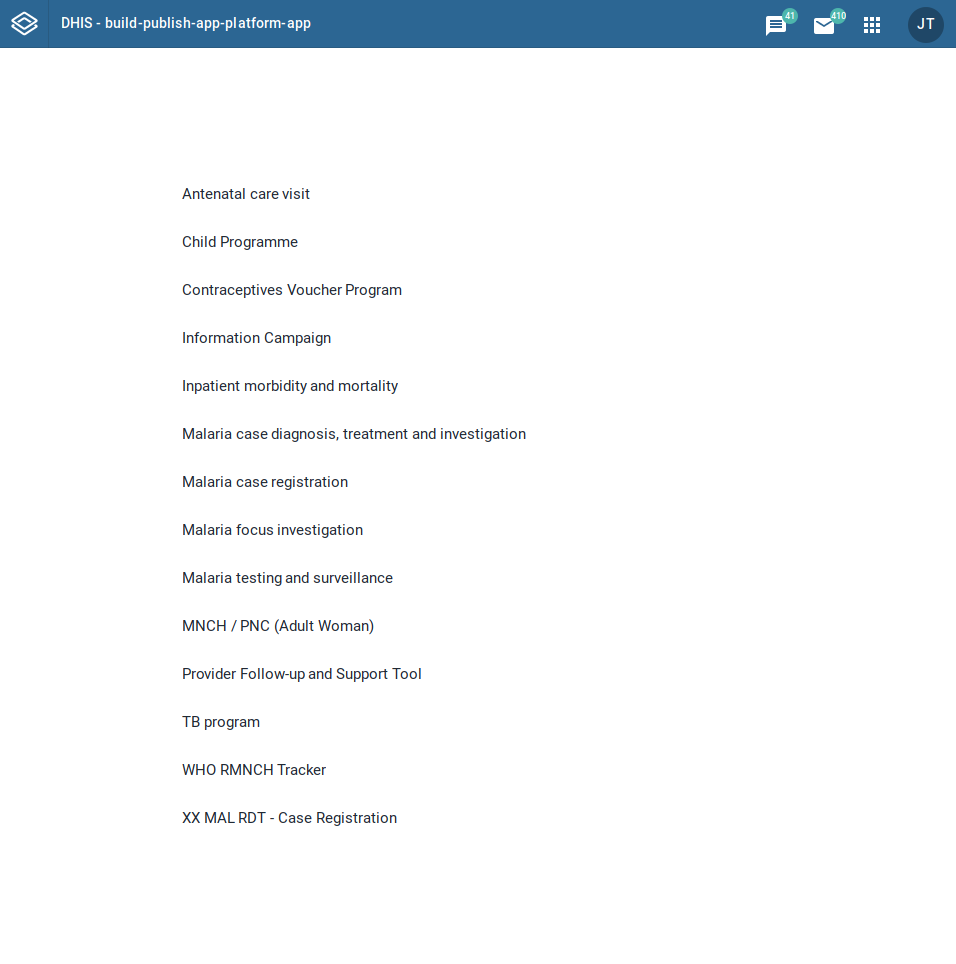
This produces our final app as shown below. Good job 👏