Application development tools
The DHIS2 core team has a great video introducing app development on DHIS2. Watching the videos aren't mandatory to follow the tutorial, but they do go into way greater detail than the website and we highly recommend watching them.
DHIS2 Application development tools
Because DHIS2 wants to make it easy for third-party developers to develop applications on top of the DHIS2 platform they have developed a set of tools that simplify and improve the developer experience.
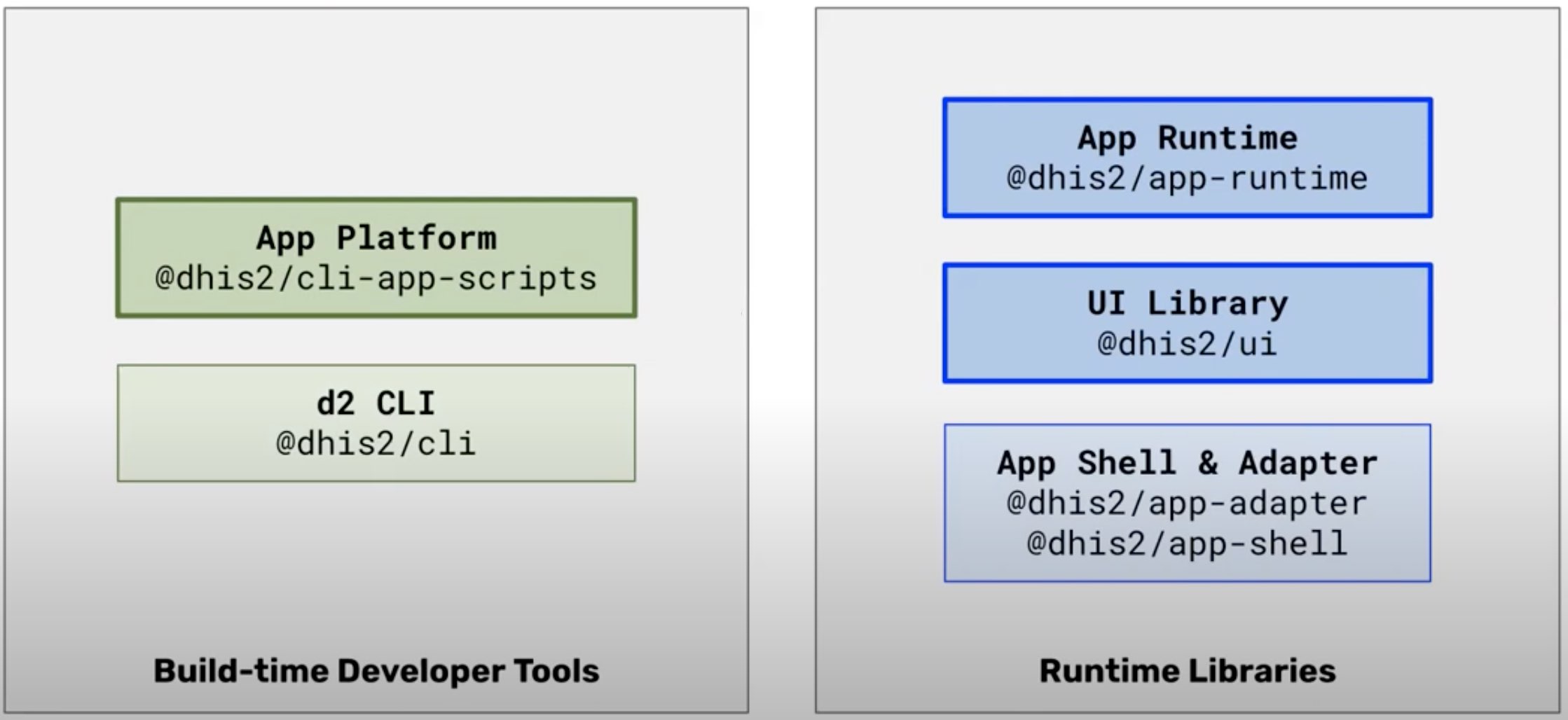
There are two types of tools that DHIS2 provide. The first, which are on the left side of the graphic, are build-time developer tools. These are tools that a developer run on their local machine that simplify development, maintenance and publishing of apps.
The App platform is a set of build scripts similar to create-react-app. These scripts automate a lot of work when creating new applications or publishing it to a DHIS2 instance.
The d2 CLI (Command Line Interface) is the tool that allows us to execute the App platform scripts through the terminal. The CLI also includes more utilities like running a DHIS2 instance locally through Docker or testing your application with cypress.
On the right side of the graphic are runtime libraries. These are libraries that run in the browser when an application is being used.
The App Runtime queries the DHIS2 API, sends alerts and provides the DHIS2 instance details to your application.
The UI Library is part of the DHIS2 design system is a and library of standard React components that DHIS2 applications can import and use.
This may seem like a lot to understand but getting started with developing on DHIS2 is easier precisely because we have all these wonderful tools at our disposal.