Getting started with DHIS2
The Project
Throughout the next sections we will introduce you to developing apps on DHIS2 through a guided project. You will setup your development environment and download some starting code. Afterwards you will continue adding functionality to the app.
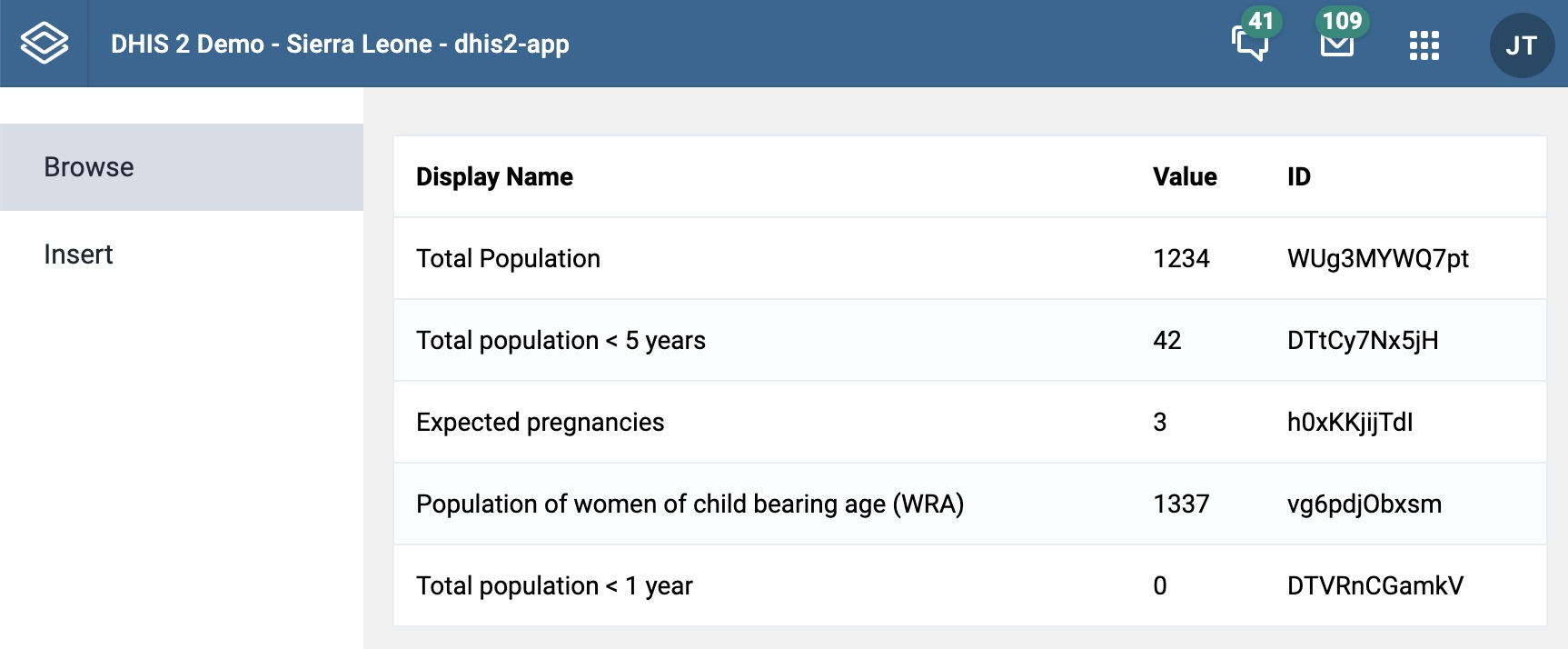
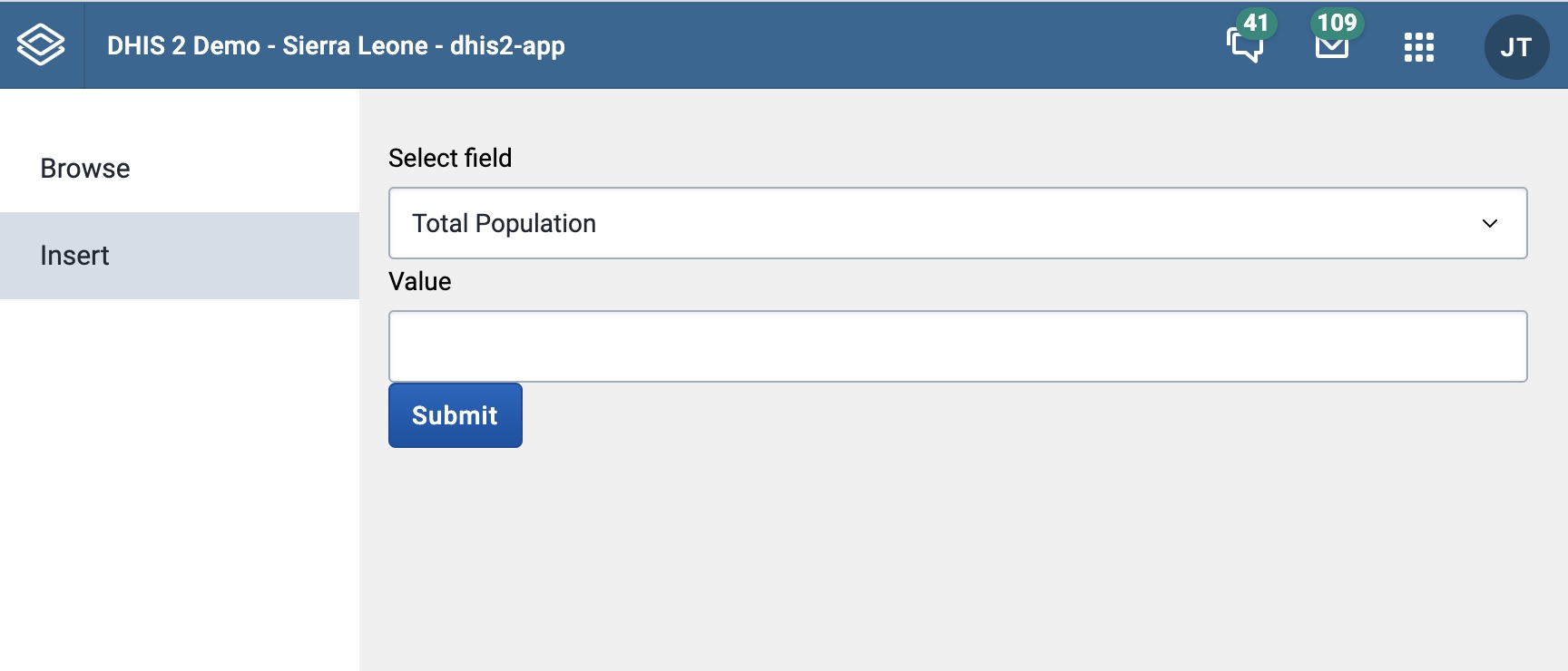
The application has two main components when finished. The first is a table that displays a dataset requested from a DHIS2 instance. The second is a form that lets you modify this dataset.
Learning goals
This guide is not a complete guide to DHIS2 app development. Hopefully it gives you a foundation for the group project and points you in the right directions to learn more on your own.
During this project we will cover
- The fundamentals of the DHIS2 API.
- How to query a DHIS2 instance with a react application.
- How to find and implement DHIS2 UI components.
- How to create forms and write to a DHIS2 instance.
Relevant resources
Throughout the guide we will link to other resources online. You don't have to read or watch these resources to complete this project, but they could be helpful later on in your group project.
In this section we use the DHIS2 CLI, you can read more about it here.
Some of the most important resources through this guide are: