Development in platform ecosystems
  • Home
  • Learn

DHIS2

  • Getting started with DHIS2 development
    • Application development tools
    • Developing your first DHIS2 application
    • Fetching data
    • Presenting data
      • DHIS2 UI Library and Design system
      • Adding a loading icon
      • Adding a table
    • Mutating data
  • App development guides
  • Introduction to DHIS2

DHIS2

  • Getting started with DHIS2 development
    • Application development tools
    • Developing your first DHIS2 application
    • Fetching data
    • Presenting data
      • DHIS2 UI Library and Design system
      • Adding a loading icon
      • Adding a table
    • Mutating data
  • App development guides
  • Introduction to DHIS2

Presenting data

1
2
3
4

DHIS2 UI Library

In this section we'll first introduce the DHIS2 UI components library and the Design system. Then we'll implement a loading icon and a table that displays the data we just prepared.
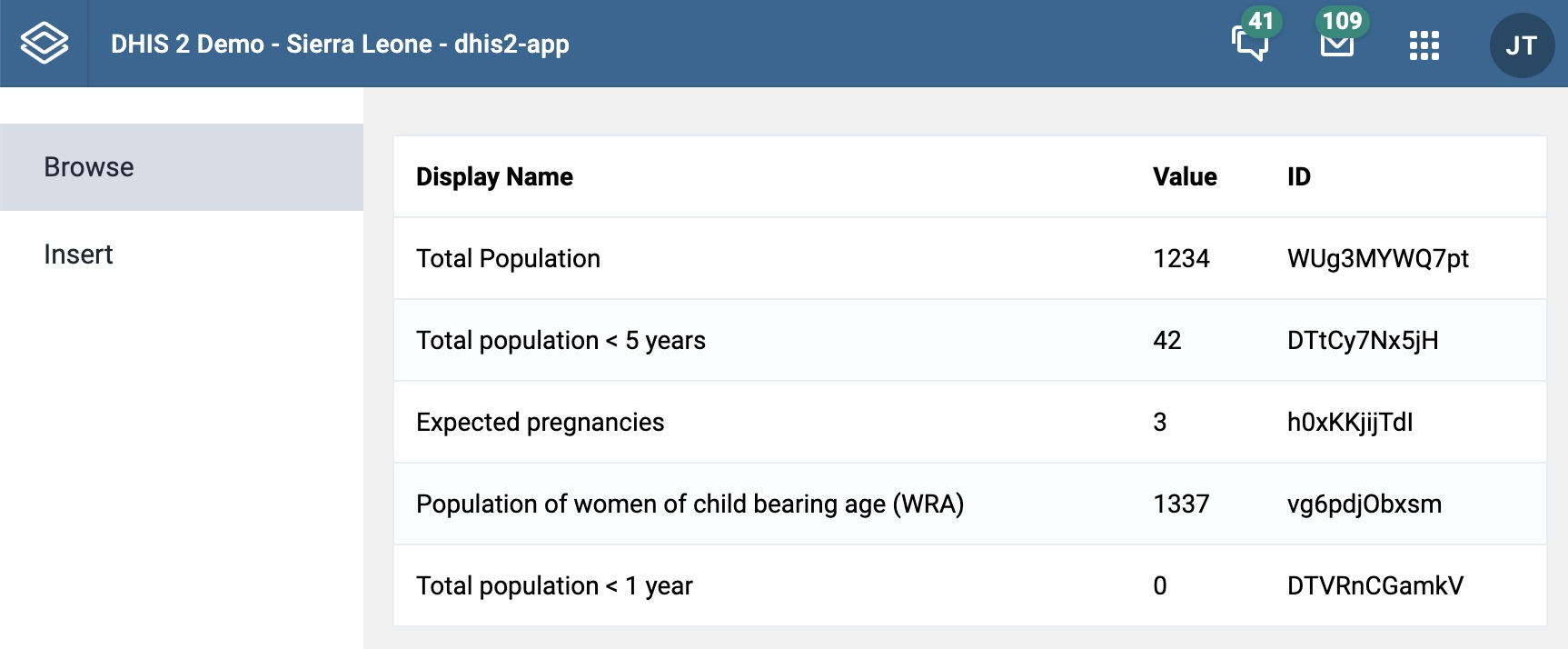
Browse component
Browse component

Relevant resources

  • UI components documentation
  • UI Library guide
  • Adding a table component guide
Start Now →

© 2026 DHIS2 Design Lab