Mutating data
If you want some practice working with Final Form, feel free to try to implement this yourself without looking at the solution. This may be a bit challenging, but is a great exercise.
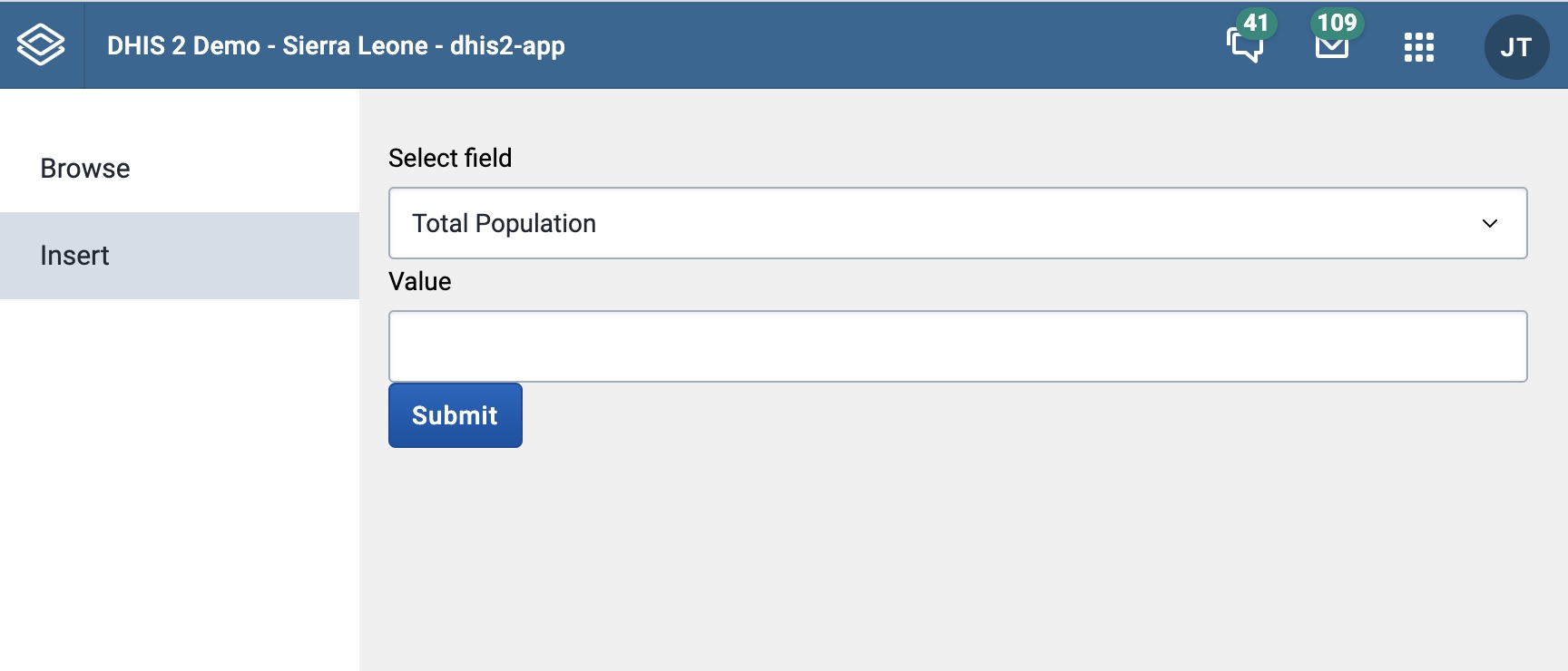
Adding the form to Insert.js
We've decided to use the SingleSelectFieldFF
to select which dataElement we want to modify. By setting the options parameter in the field we can specify what options are available.
options={[{ label: "Total Population", value: "WUg3MYWQ7pt" },{ label: "Population of women of child bearing age (WRA)", value: "vg6pdjObxsm",},{ label: "Total population < 5 years ", value: "DTtCy7Nx5jH" },{ label: "Expected pregnancies", value: "h0xKKjijTdI" },{ label: "Total population < 1 year ", value: "DTVRnCGamkV" },]}
We then added an InputFieldFF
where we can insert the number we want to send to the API.
We then add a Button that submits the form.
Because we want to make sure that the InputField only accepts numbers and isn't empty we have also added
two validators hasValue and number. When we want to add multiple validators to the same field we also need to use the
composeValidator component.
Finally we create a onSubmit() function that console.logs() the form inputs and pass it to the FinalForm onSubmit parameter.
function onSubmit(formInput) {console.log(formInput);
Solution
import React from 'react'import {ReactFinalForm,InputFieldFF,Button,SingleSelectFieldFF,hasValue,number,composeValidators,} from '@dhis2/ui'export function Insert(props) {function onSubmit(formInput) {console.log(formInput)}return (<div><ReactFinalForm.Form onSubmit={onSubmit}>{({ handleSubmit }) => (<form onSubmit={handleSubmit} autoComplete="off"><ReactFinalForm.Fieldcomponent={SingleSelectFieldFF}name="dataElement"label="Select field"initialValue="WUg3MYWQ7pt"options={[{label: 'Total Population',value: 'WUg3MYWQ7pt',},{label: 'Population of women of child bearing age (WRA)',value: 'vg6pdjObxsm',},{label: 'Total population < 5 years ',value: 'DTtCy7Nx5jH',},{label: 'Expected pregnancies',value: 'h0xKKjijTdI',},{label: 'Total population < 1 year ',value: 'DTVRnCGamkV',},]}/><ReactFinalForm.Fieldname="value"label="Value"component={InputFieldFF}validate={composeValidators(hasValue, number)}/><Button type="submit" primary>Submit</Button></form>)}</ReactFinalForm.Form></div>)}