Fetching data
Looking at our data
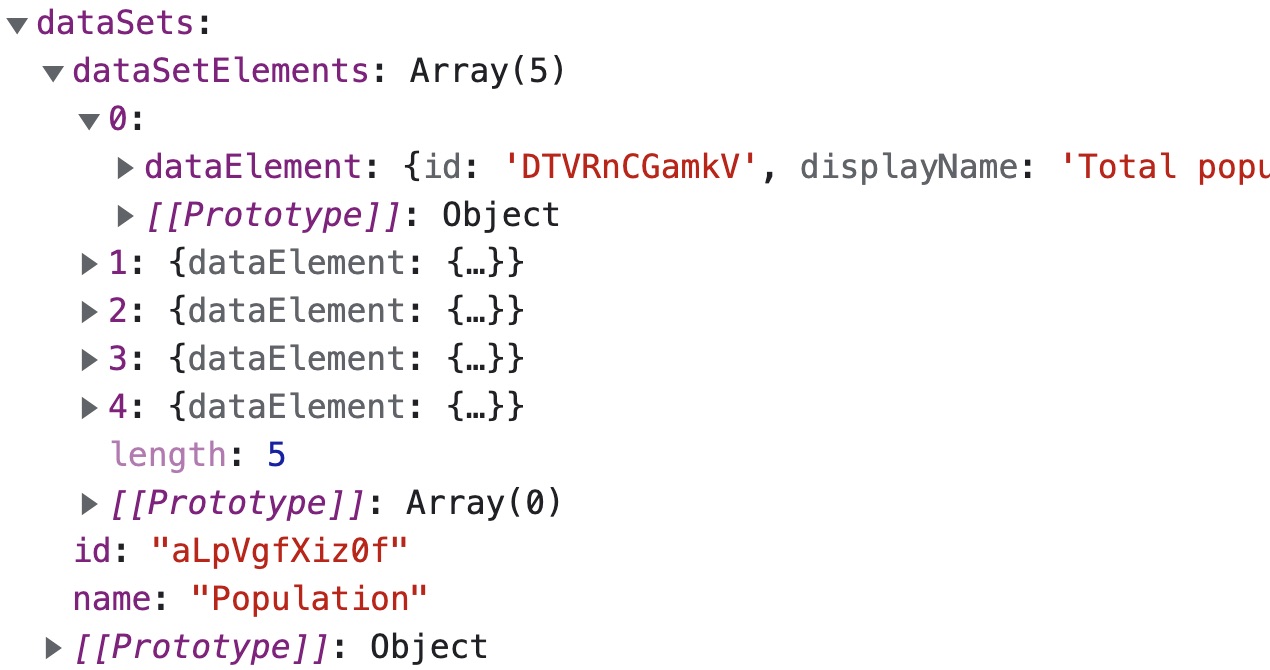
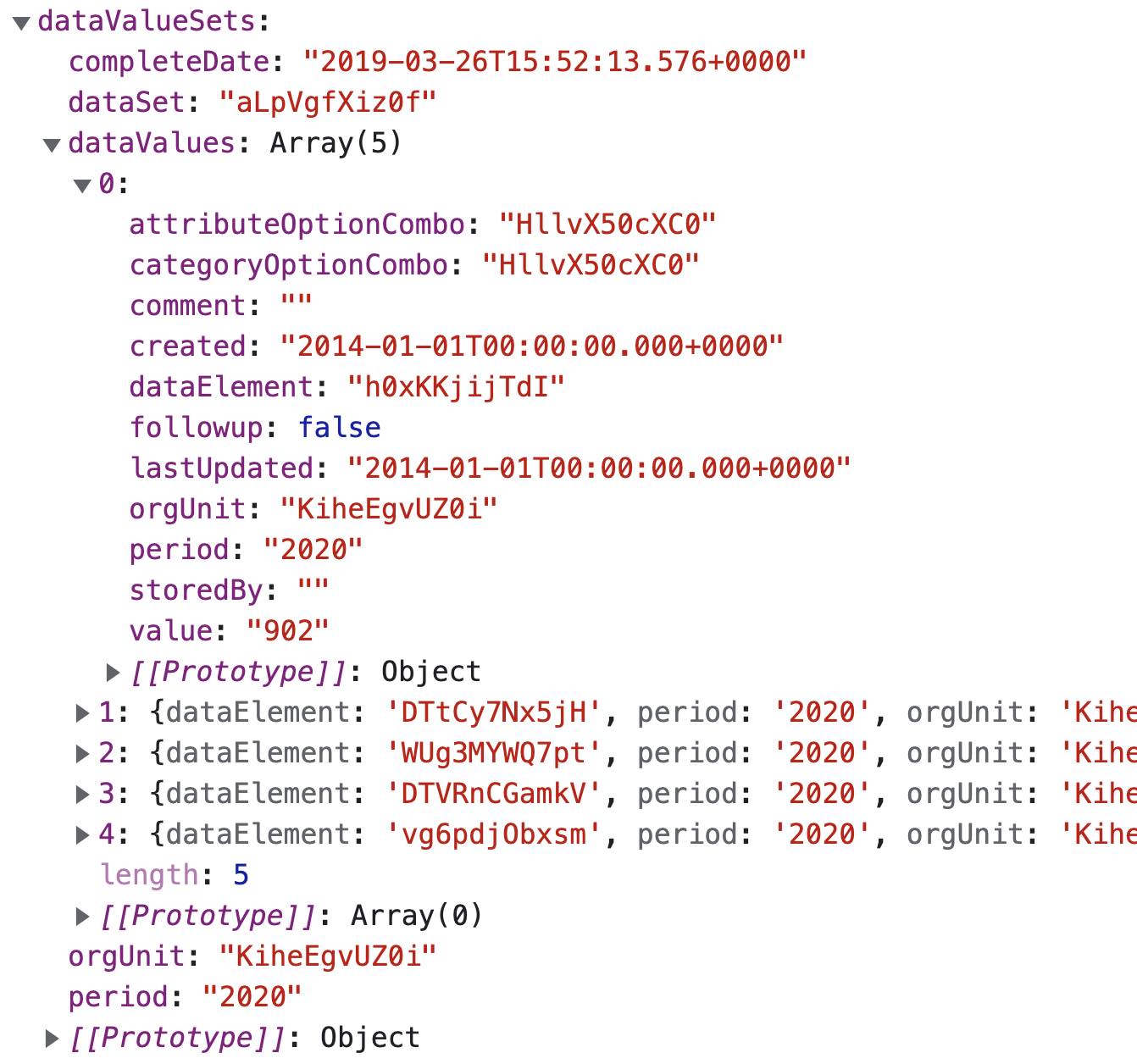
When we console.log() our data we can see that there are two dictionaries in the data object.
One called dataSets and one called dataValueSets. This is because we have created two queries in the dataQuery.
dataSets is a dictionary containing an id, name and a list of dataSetElements with their respective id's and displayNames.
dataValueSets is a dictionary containing an orgUnit, period, dataSet id and a list of dataElements and their respective values.
Preparing the data
First of all we need to state that this is not necessarily a good workflow when working with the DHIS2 API.
There are several other endpoints that are specifically designed to fetch the dataSet metadata and the dataValueSet values at the same time.
For example the /analytics/ endpoint
for getting aggregated data, or the /dashboards/
resource.
But in this project we are using two seperate queries, and will therefore have to merge them together to display them simply.
This is a helper function that will merge these dictionaries together for you.
function mergeData(data) {return data.dataSets.dataSetElements.map(d => {let matchedValue = data.dataValueSets.dataValues.find(dataValues => {if (dataValues.dataElement == d.dataElement.id) {return true}})return {displayName: d.dataElement.displayName,id: d.dataElement.id,value: matchedValue.value,}})}
Add the mergeData function to Browse.js
Copy the mergeData function into your Browse.js file and pass it the data from the useDataQuery.
Then console.log() the newly merged data.
import React from 'react'import { useDataQuery } from '@dhis2/app-runtime'const dataQuery = {dataSets: {resource: 'dataSets/aLpVgfXiz0f',params: {fields: ['name','id','dataSetElements[dataElement[id, displayName]',],},},dataValueSets: {resource: 'dataValueSets',params: {orgUnit: 'KiheEgvUZ0i',dataSet: 'aLpVgfXiz0f',period: '2020',},},}function mergeData(data) {return data.dataSets.dataSetElements.map(d => {let matchedValue = data.dataValueSets.dataValues.find(dataValues => {if (dataValues.dataElement == d.dataElement.id) {return true}})return {displayName: d.dataElement.displayName,id: d.dataElement.id,value: matchedValue.value,}})}export function Browse() {const { loading, error, data } = useDataQuery(dataQuery)if (error) {return <span>ERROR: {error.message}</span>}if (loading) {return <span>Loading...</span>}if (data) {let mergedData = mergeData(data)console.log(mergedData)}return <h1>Browse</h1>}
In the next section we will be displaying this data with DHIS2 UI components.